

Use this guide when you want to move from your current Posa subscription to a higher plan from the mobile app.
1. Open Subscription
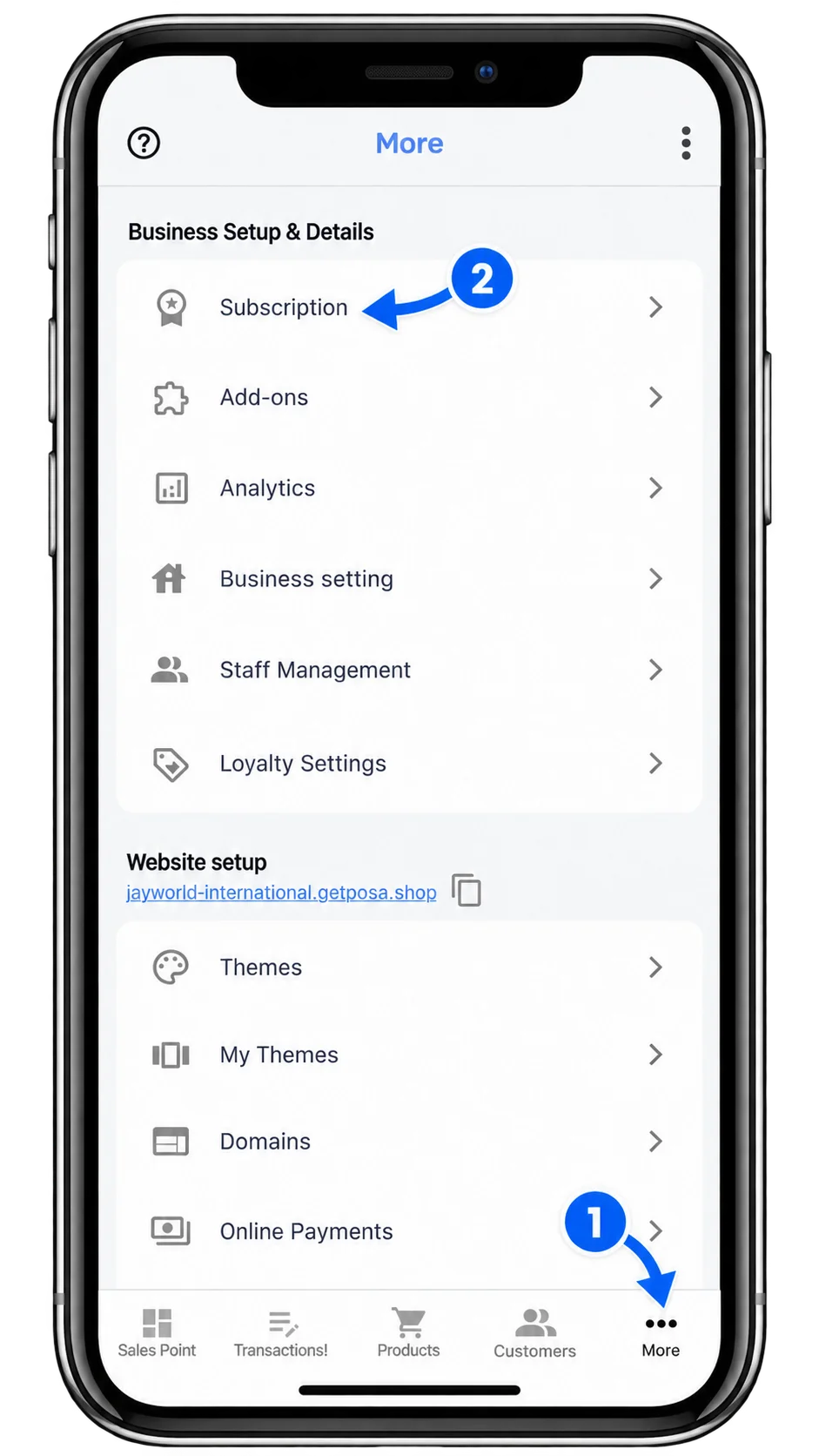
From the bottom navigation bar, tap More to open the More screen. Select Subscription under Business Setup & Details.
2. Choose a higher plan
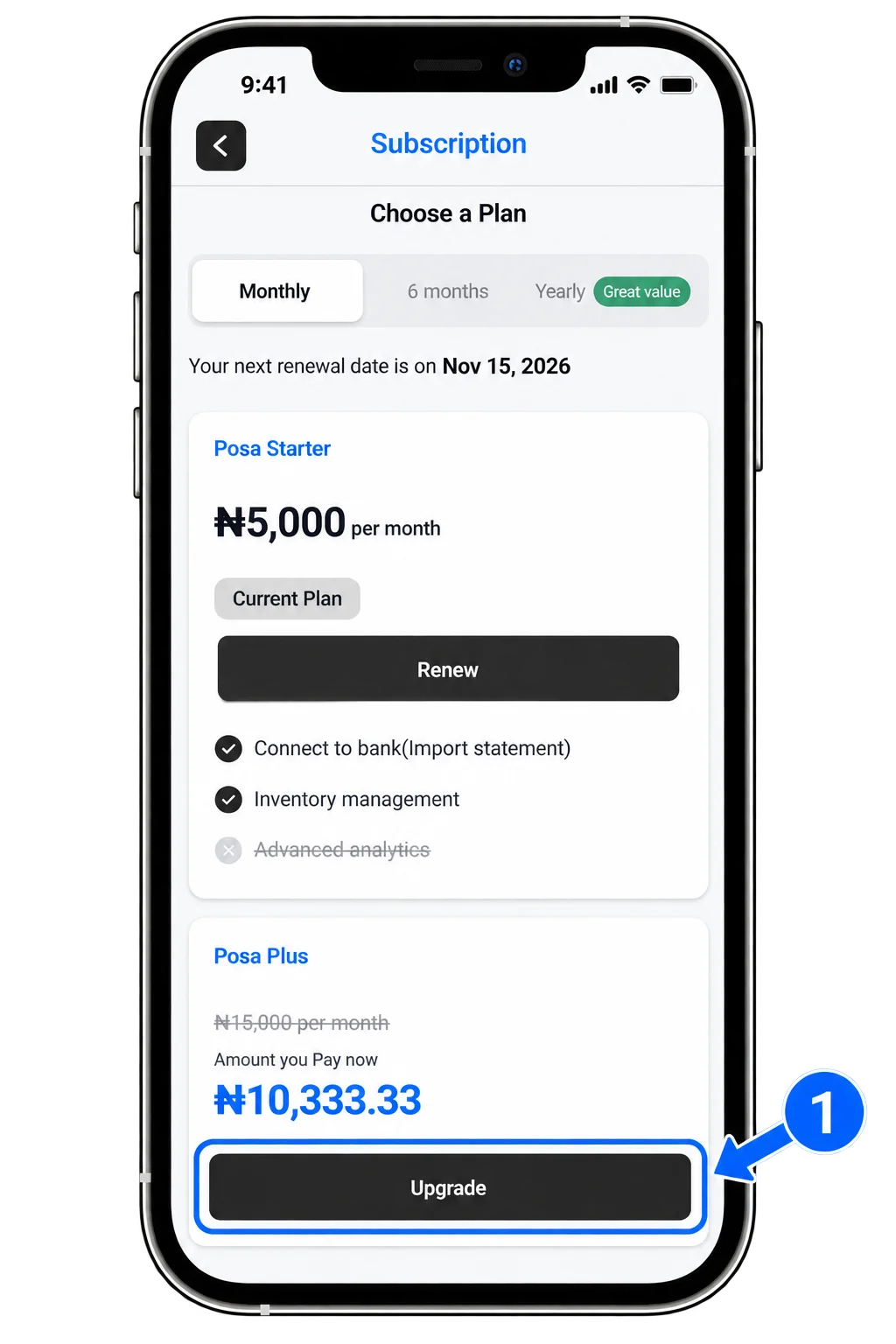
On the Subscription screen, you can view your current plan and the higher plans available to you. Tap Upgrade on the plan you want to switch to.
3. Review the upgrade cost
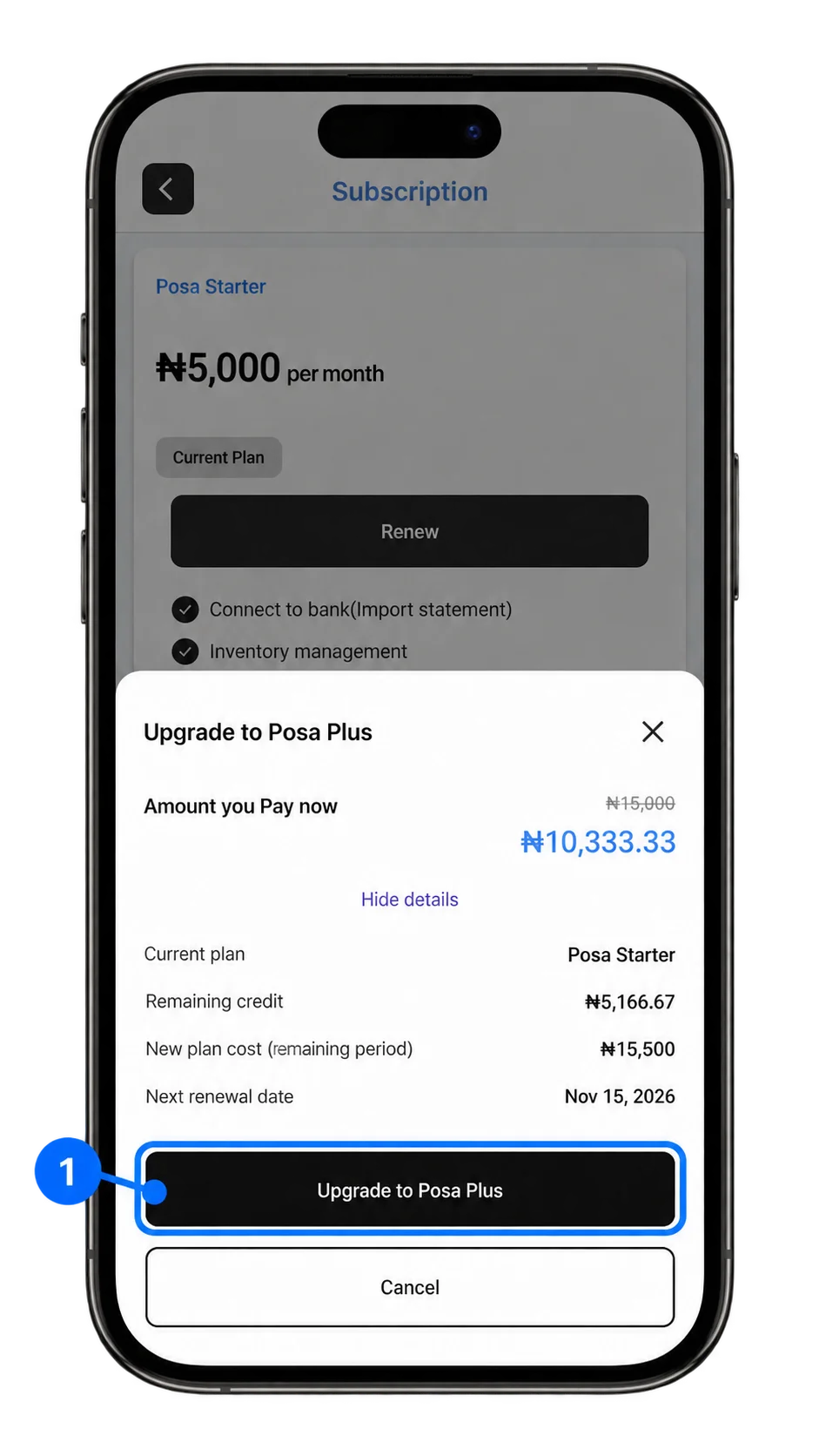
A price breakdown shows the cost of moving from your current plan. Review the details carefully, then tap Upgrade to continue with the payment.
4. Start using your upgraded plan
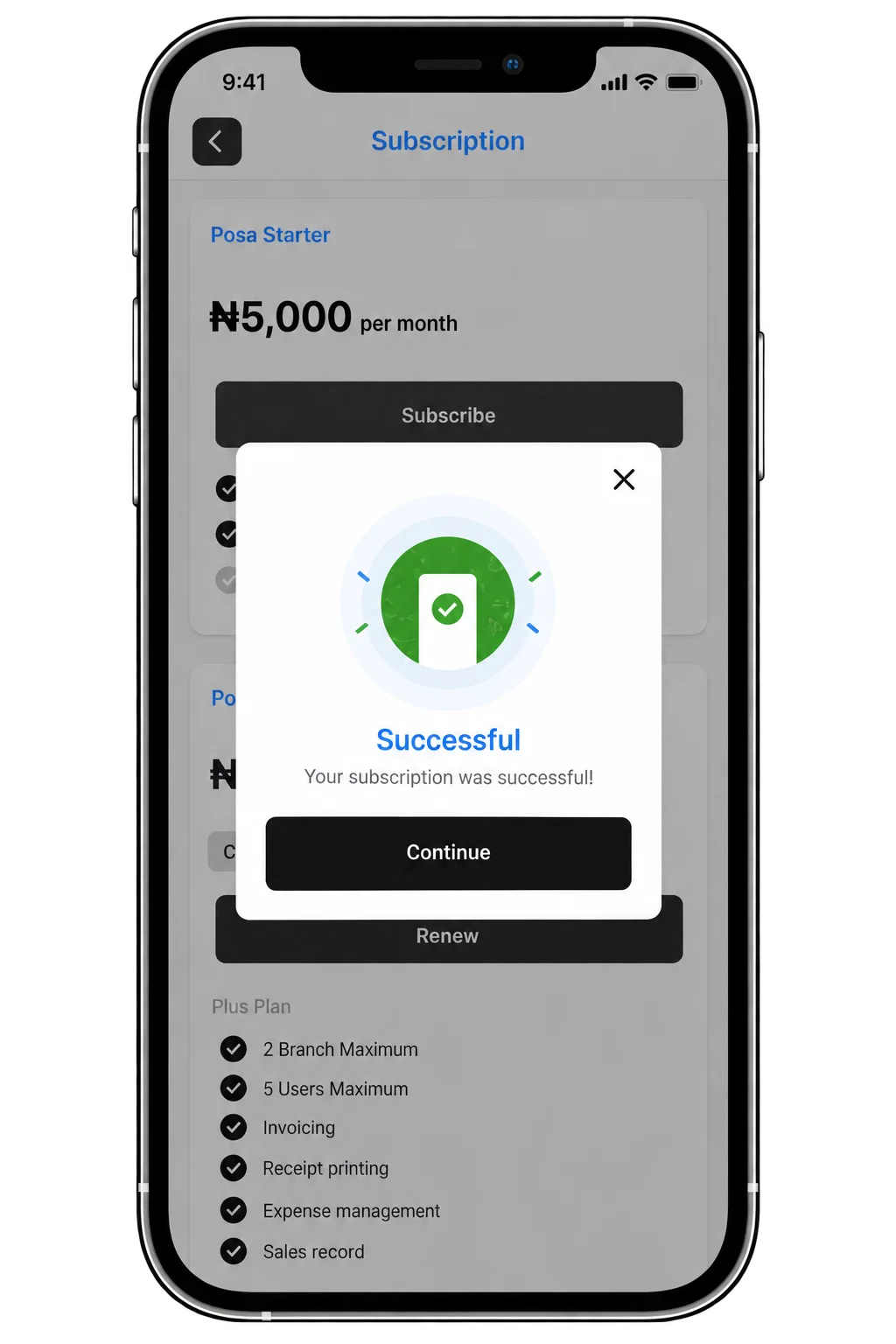
Once the payment is successful, your subscription is upgraded. You can immediately start using the additional features and benefits included in your new plan.
Published by Posa Technologies · getposa.com
← More guides