

Posa rewards you when another business joins through your referral and pays for a subscription. You earn 10% of the subscription fee, while the referred business gets an extra month on its first subscription period. A signup appears as pending until the business moves to a paid plan.
1. Open Referrals
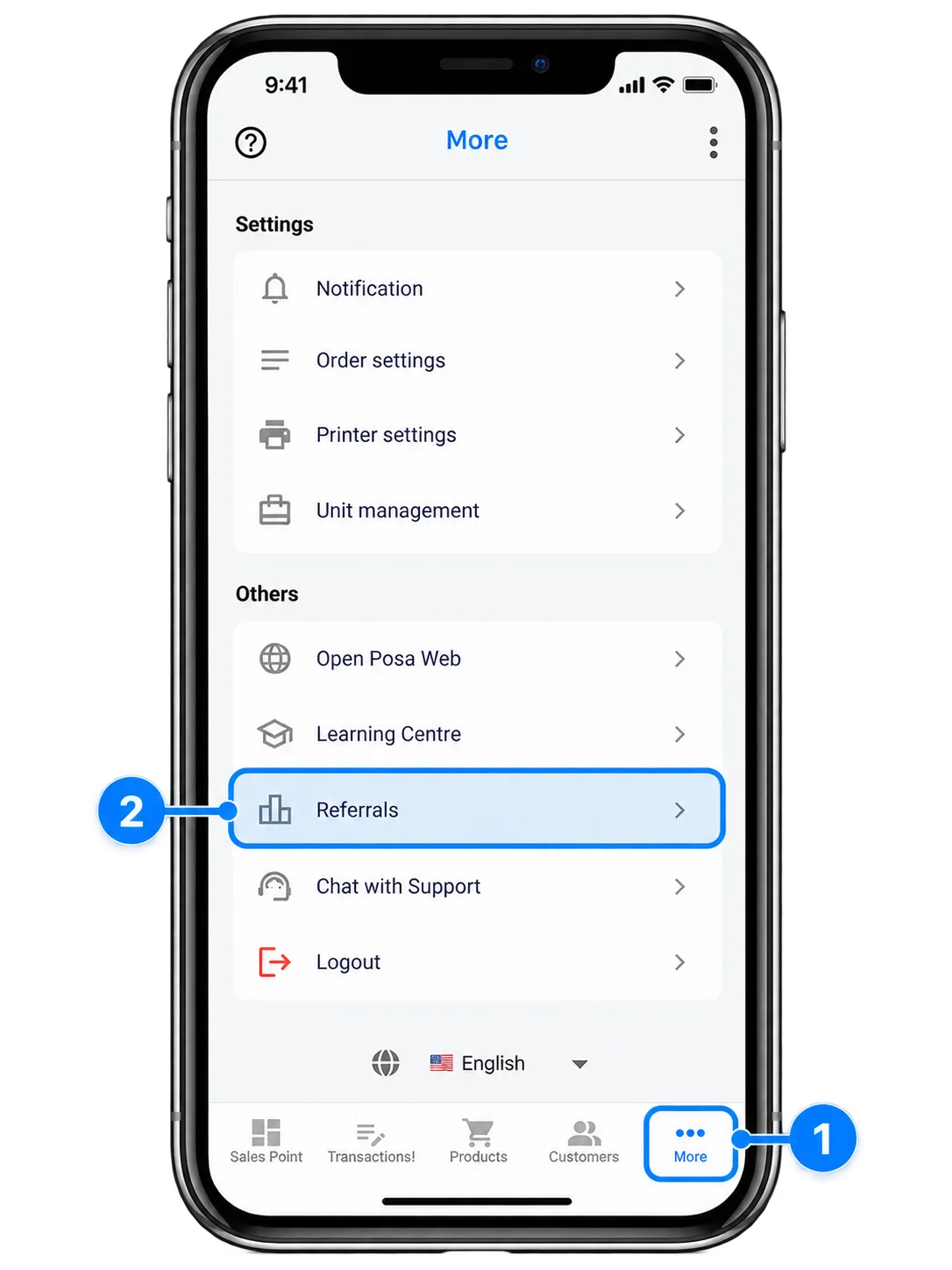
From the bottom navigation bar, tap More to open the More screen. Select Referrals under Others.
2. Copy your referral code or link
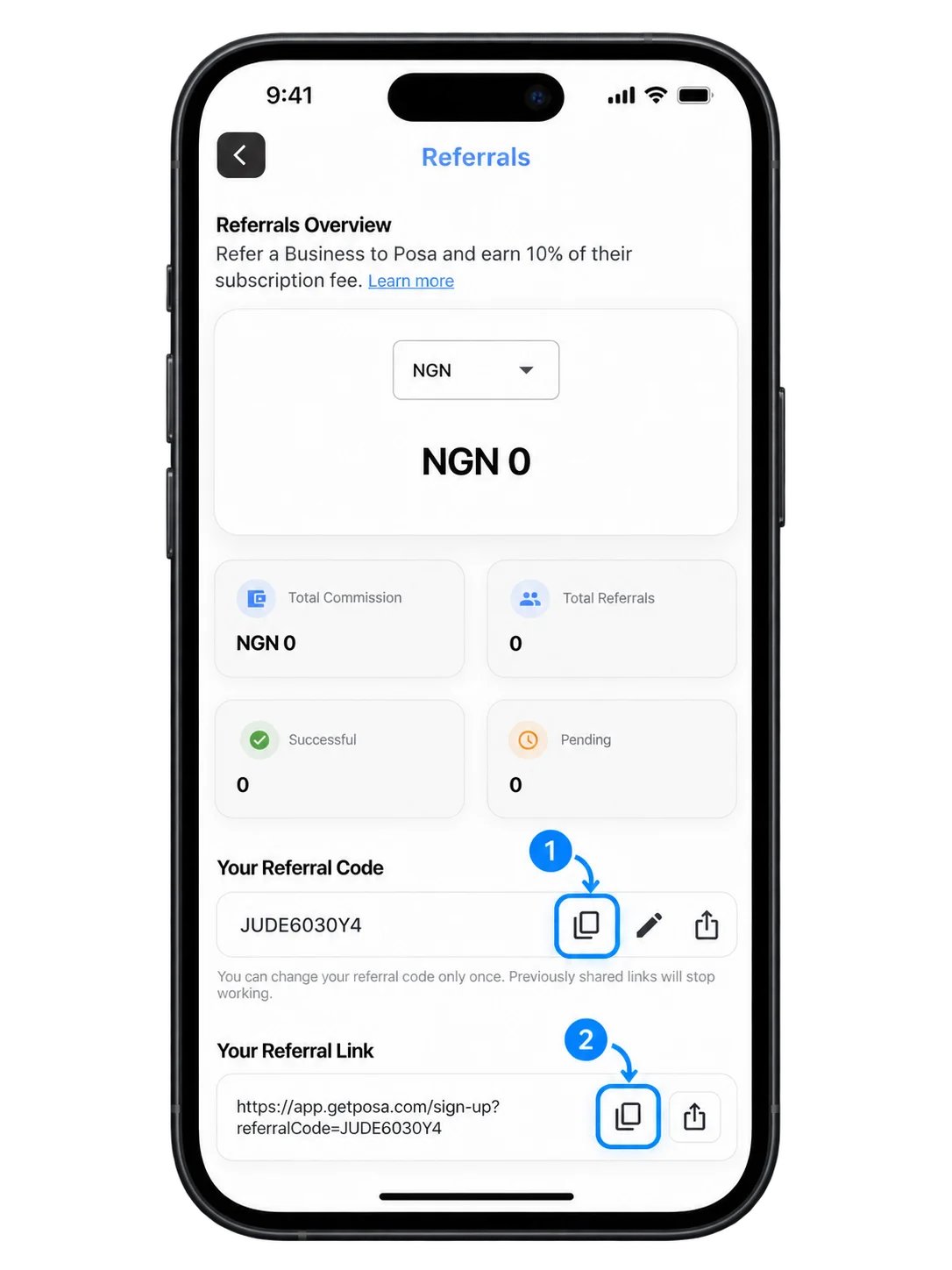
On the Referrals screen, tap the copy icon under Your Referral Code to copy your unique code for use during signup. You can also tap the copy icon under Your Referral Link, then share the link with the businesses you want to invite.
3. Use the code during signup
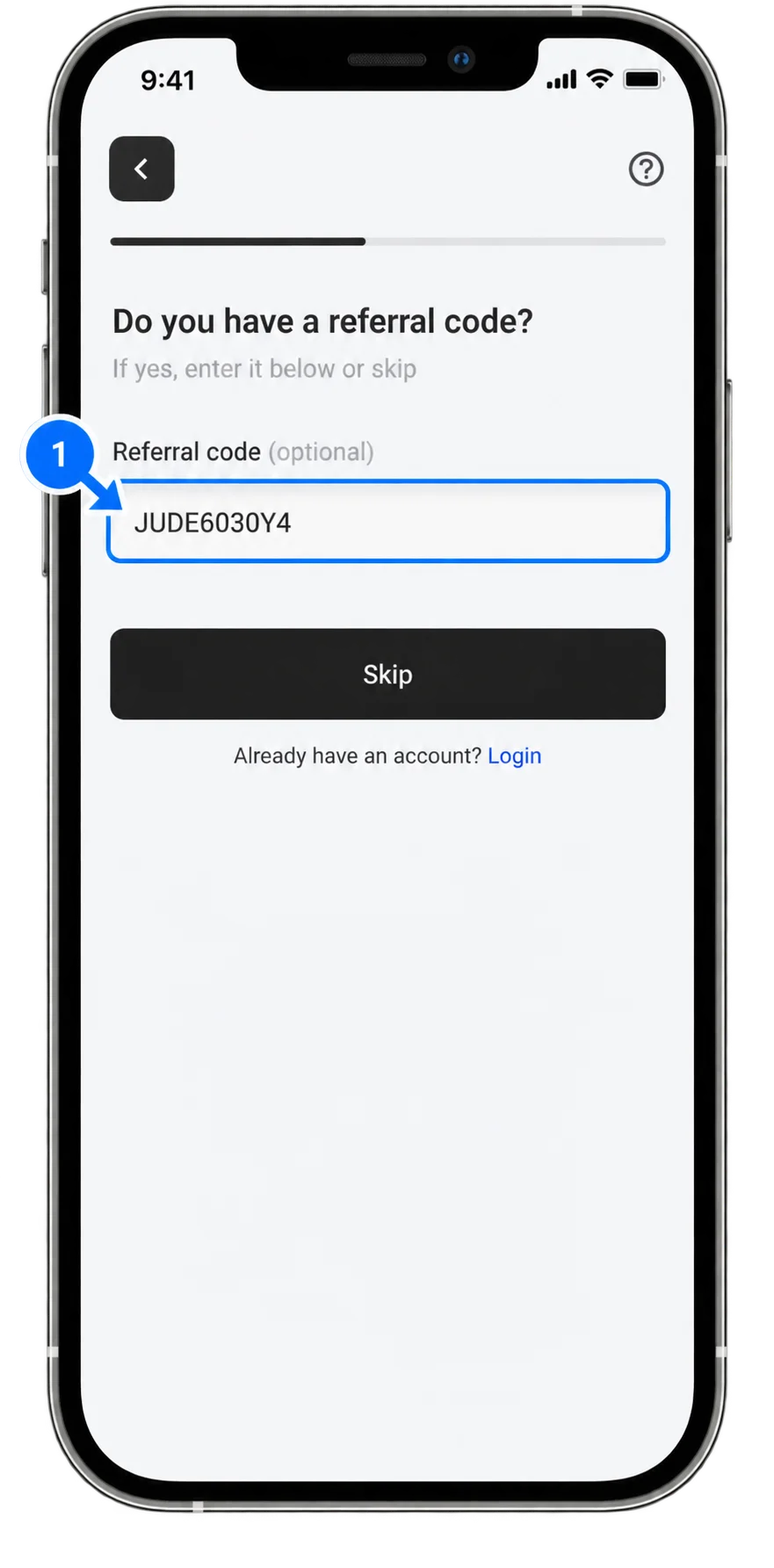
During signup, the person you referred can enter your unique Referral Code in the referral field. If they open your referral link instead, Posa fills in the code automatically.
4. Track your referrals
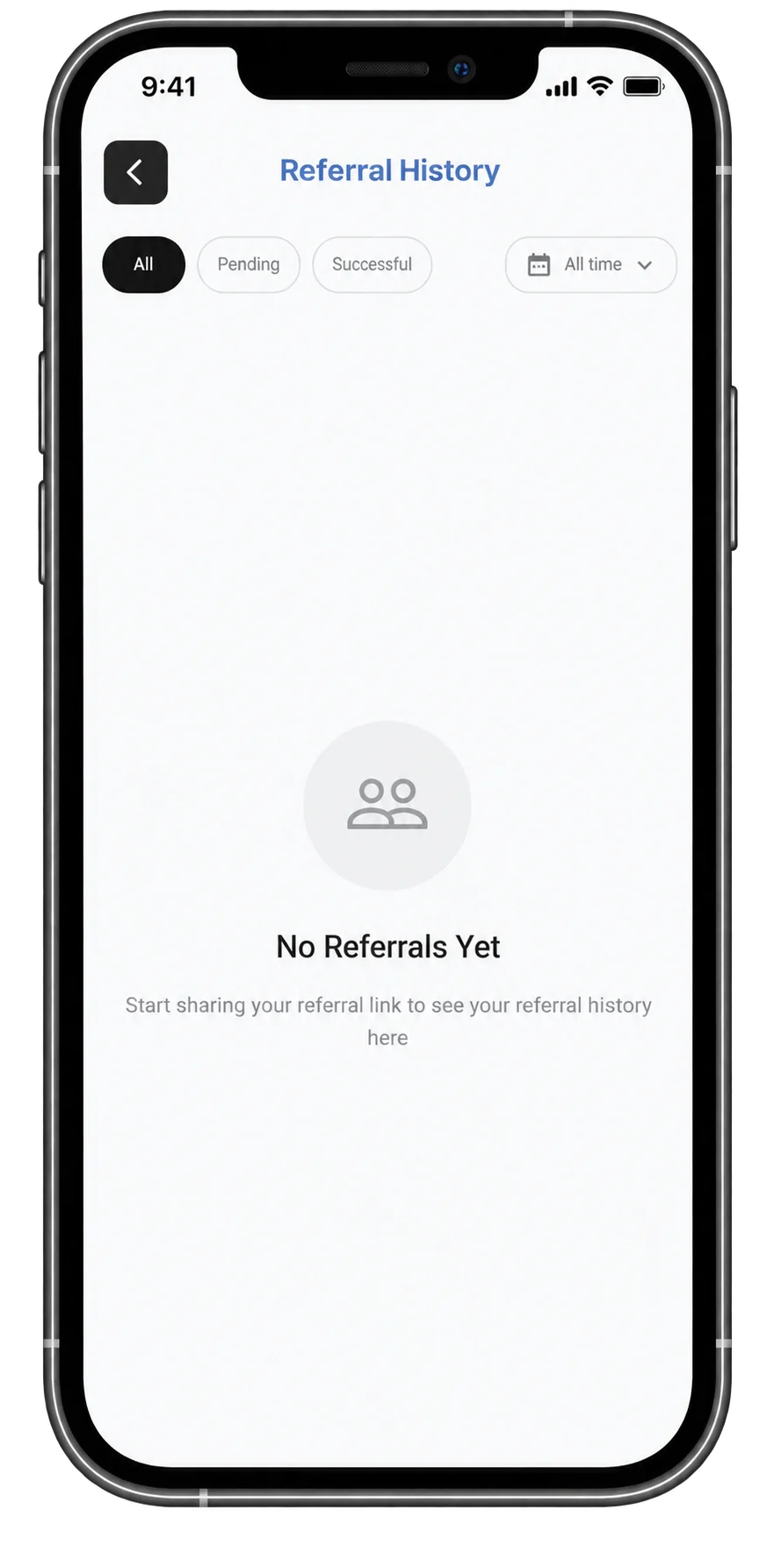
After signup, return to the Referrals screen and tap Referral History. You can view all referred businesses or filter the list by Pending and Successful to track their progress.
Published by Posa Technologies · getposa.com
← More guides